

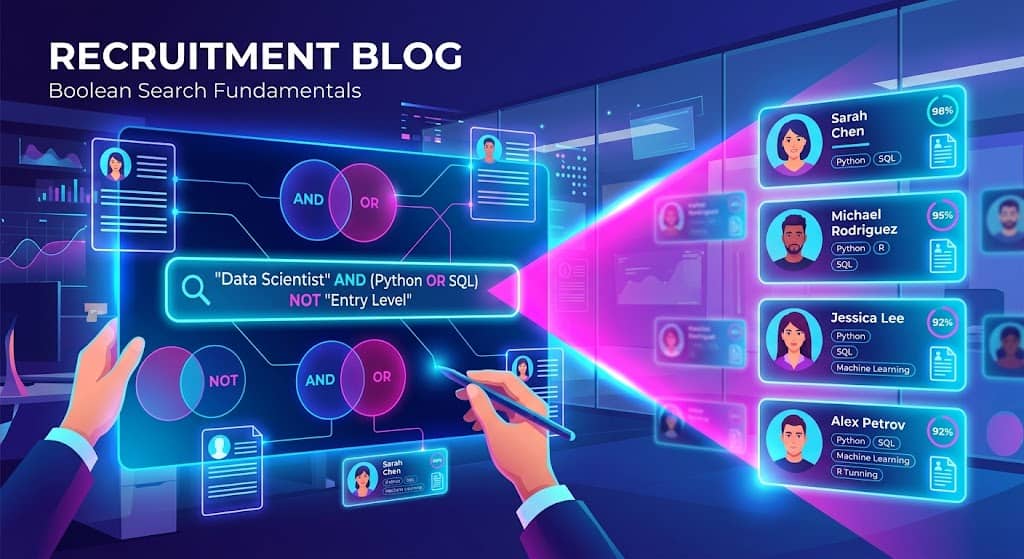
Boolean search did not die when AI sourcers showed up. It is still how you search LinkedIn Recruiter, Google X-ray, GitHub, and the talent pool sitting in your ATS. AI tools are faster at volume. A string you can read is how you check the list when the volume is wrong. For LinkedIn specific strings, see our LinkedIn Boolean search guide, and for what to send once you find people, our guide to passive candidates.
This is a desk guide. Operators, platform dialects, original strings you can paste, the mistakes that empty a search, and a free builder on this site so you do not have to balance parentheses by hand.
If you already know AND, OR, and NOT and just want the generator, skip to the Boolean Search String Builder.
What Boolean search actually does on a recruiting desk
Boolean search is a query language. You combine keywords with a short set of operators so a database returns only the profiles that match the logic you wrote.
On a desk that means four jobs:
- Search LinkedIn (free search or Recruiter) without drowning in adjacent titles.
- X-ray public profiles and portfolios through Google when LinkedIn’s index is thin.
- Search GitHub, Stack Overflow, and other specialist sites for people who do not keep a current LinkedIn headline.
- Query your own ATS so you stop re-sourcing people you already spoke to.
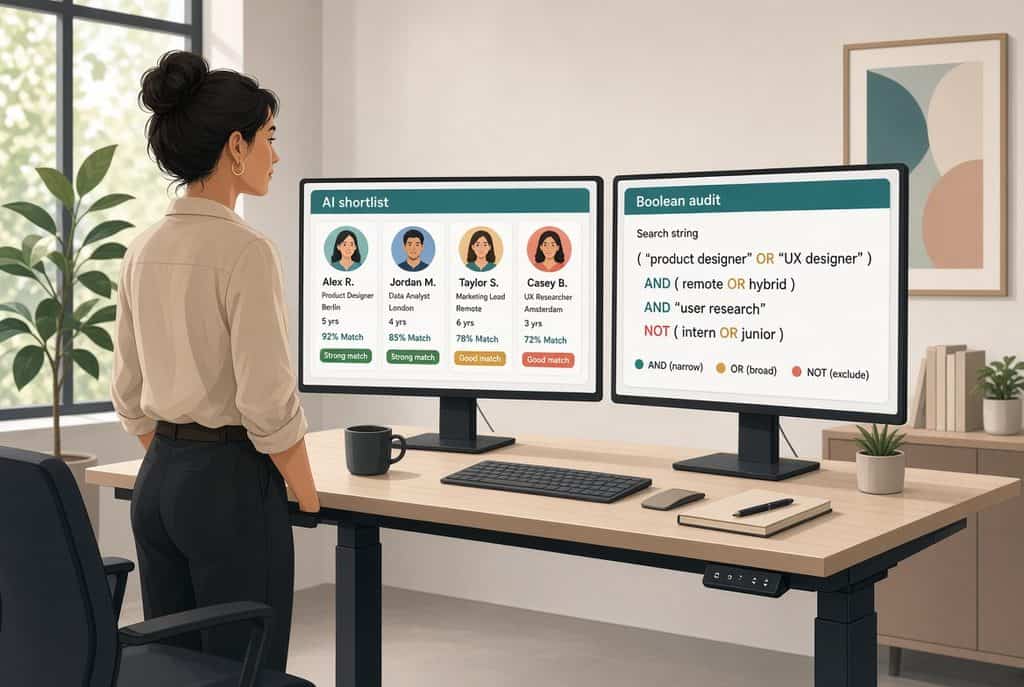
AI sourcing tools still sit on keyword indexes and structured profile fields. That is why a sourcer who can write a string is not obsolete. You use the AI tool for breadth. You use Boolean when you need to prove the search, reuse it next week, or run it in a system that does not accept plain English.
For how that split looks in a live stack, see Juicebox vs Pin and the sourcing directory.
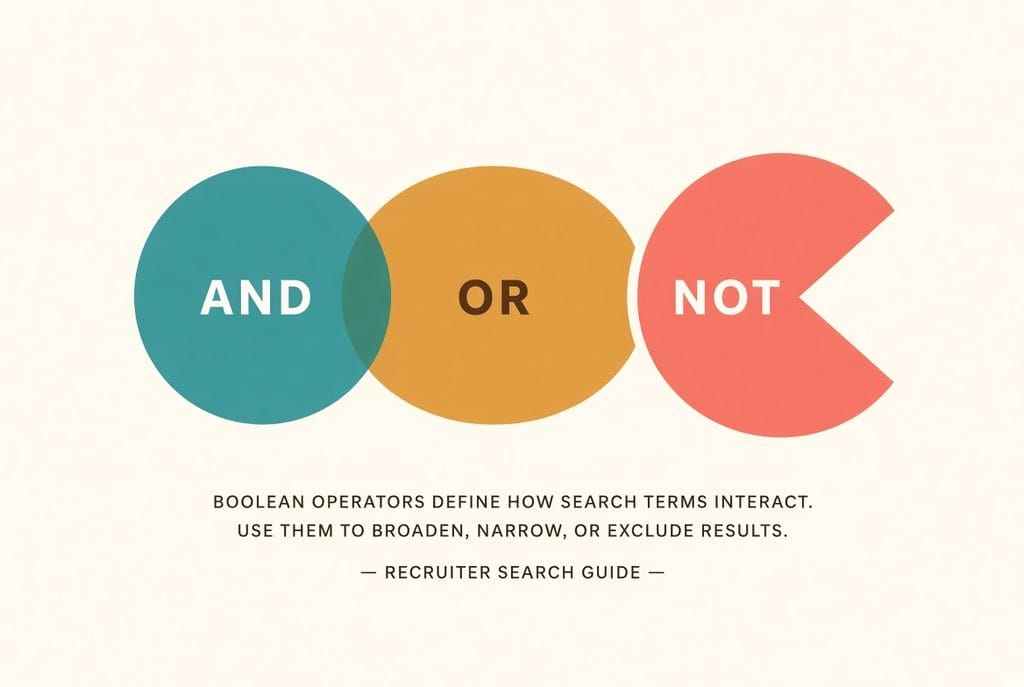
The operators that do the work
Five operators cover almost every recruiting search. Two extra ones matter on Google. LinkedIn official help is blunt about the rest: operators must be uppercase, parentheses are the only grouping symbol, and wildcards are not supported.
| Operator | What it does | Recruiter example | Watch-out |
|---|---|---|---|
| AND | Every term must appear | “controls engineer” AND Rockwell AND “plant floor” | Google treats a space as AND. Write AND anyway on LinkedIn so a teammate can read the string. |
| OR | Any listed term can appear | “revenue operations” OR RevOps OR “sales operations” | Wrap OR groups in parentheses. AND binds first. |
| NOT or – | Drop a term | LinkedIn: NOT intern. Google: -intern | Do not paste NOT into Google. Do not paste a minus into LinkedIn and expect official support. |
| “quotes” | Exact phrase | “travel nurse” not travel AND nurse | Use straight quotes. Curly quotes from Docs and Slack break LinkedIn. |
| ( ) | Control order | (“warehouse supervisor” OR “warehouse manager”) AND OSHA | A missing closer silently wrecks the rest of the string. |
| site: | Limit the domain | site:github.com “ladder logic” PLC | Google only. Never paste site: into LinkedIn Recruiter. |
| * wildcard | Stem match | manage* | LinkedIn does not support it. Spell the variants with OR. |
LinkedIn evaluates a query in a fixed order: quoted phrases first, then parentheses, then NOT, then AND, then OR. If the results look random, the string is usually missing parentheses around an OR group.
AND narrows. Use it for must-haves.
AND is how you stop the search from returning every engineer in the city. Put AND between the things you will not hire without.
“controls engineer” AND Studio5000 AND Milwaukee
That string asks for all three. If the list comes back empty, you stacked too many must-haves. Drop the least important one before you add more OR variants.
OR widens. Use it for titles the market actually uses.
Hiring managers write one title. The market uses four. OR is how you catch the people who do the job under a different headline.
(“revenue operations” OR RevOps OR “sales operations manager”)
Always wrap an OR list in parentheses when AND is also in the string. Without the wrap, the engine can read the last title as the only term that is ANDed to the skill.
NOT cleans the obvious junk. It is not a strategy.
NOT is for intern, student, recruiter, and the adjacent job family that pollutes every search. It is a poor way to express seniority. People who are qualified still write “mentored interns” on their profile. One extra NOT can delete the only person who can do the job.
LinkedIn wants NOT intern. Google X-ray wants -intern. LinkedIn’s own help page says the plus and minus signs are not officially supported, even when they appear to work.
Build a string from a job description
Do not start by copying a 40-term string from a cheat sheet. Start from the req in front of you.
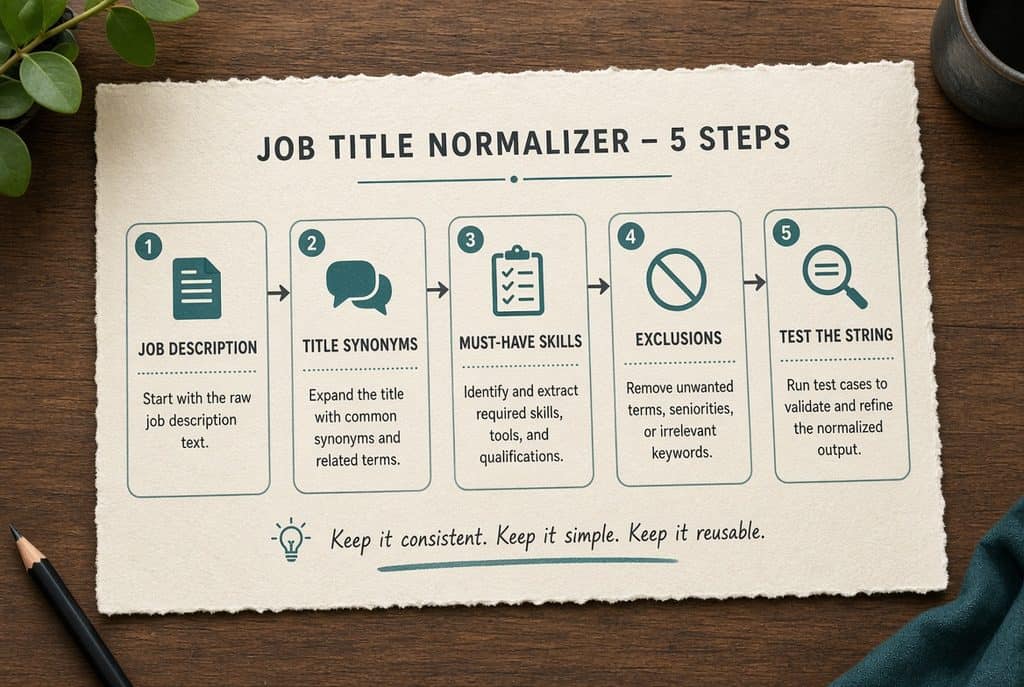
- Pull the title variants the market uses, not only the title on the req. A “controls engineer” is also a PLC programmer, an automation engineer, and a control systems engineer.
- Quote every multi-word title. travel nurse without quotes becomes travel AND nurse, which pulls travel coordinators and school nurses.
- AND the two or three skills you will not hire without. Leave the rest off the first pass.
- OR the nice-to-haves so they add people instead of deleting them.
- NOT the false positives you can name in advance — intern, recruiter, the adjacent job family. Stop there.
- Run it and read the first twenty profiles. Under twenty results: drop a nice-to-have or add a title synonym. Over a few hundred: add one must-have or a location.
If you do not want to type the operators, paste the same fields into the free Boolean Search String Builder. It writes the LinkedIn, Google X-ray, or GitHub version as you type. Nothing is stored on a server.
Platform dialects: the same idea, different grammar
The logic is the same. The syntax is not. A string that works in Recruiter can fail in Google, and a Google X-ray string will look like noise if you paste site: into LinkedIn.
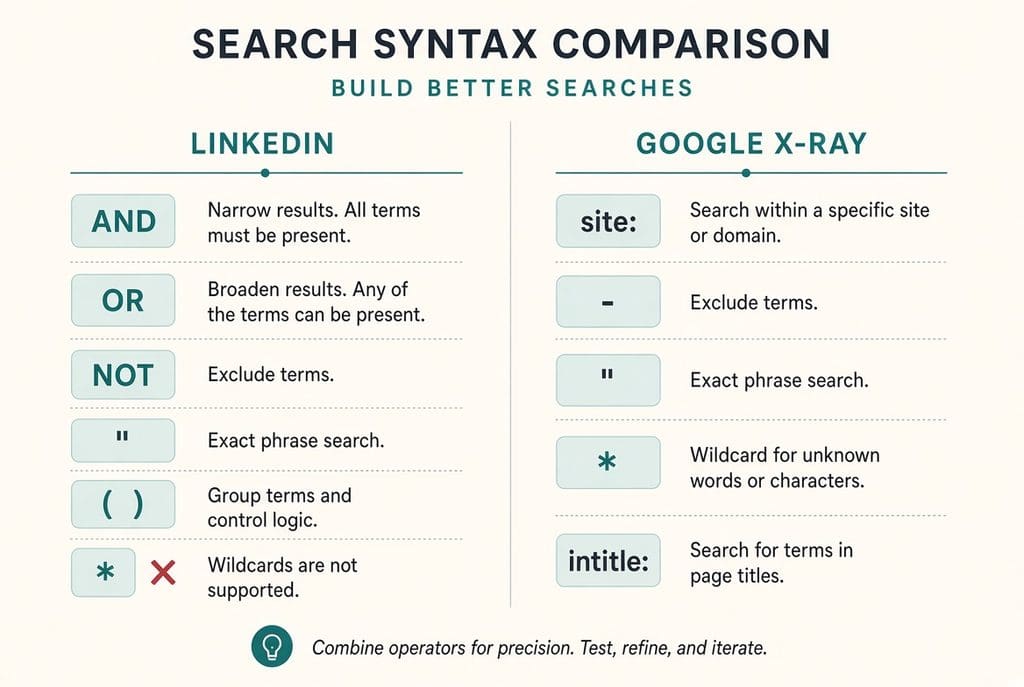
A working Google X-ray pattern for public LinkedIn profiles:
site:linkedin.com/in (“controls engineer” OR “automation engineer”) (Studio5000 OR ControlLogix) Milwaukee -recruiter -intitle:”profiles” -inurl:/dir/
The same idea on GitHub, where the resume is a repo:
site:github.com “ladder logic” (ControlLogix OR Siemens) -recruiter
Copy-ready strings by role
These are starting points, not sacred text. Swap the city. Swap the platform. Add the one skill the hiring manager will actually screen for. Each one is written for LinkedIn. For Google, change NOT intern to -intern and add a site: prefix.
Controls / PLC engineer — Milwaukee
(“controls engineer” OR “control systems engineer” OR “automation engineer” OR “PLC programmer”) AND (Studio5000 OR ControlLogix OR CompactLogix OR Siemens OR TIA) AND (Milwaukee OR Waukesha OR Racine) NOT (intern OR “co-op” OR recruiter)
RevOps manager — remote US
(“revenue operations” OR RevOps OR “sales operations manager” OR “RevOps manager”) AND (Salesforce OR HubSpot) AND (Clari OR Gong OR “full-cycle”) AND (Remote OR “United States”) NOT (SDR OR BDR OR intern)
Travel nurse — Phoenix
(“travel nurse” OR “travel RN” OR “registered nurse”) AND (ICU OR “intensive care” OR “progressive care” OR PCU) AND (Phoenix OR Scottsdale OR Mesa) NOT (LPN OR “nursing student” OR CNA)
Customer success manager — B2B SaaS
(“customer success manager” OR CSM OR “client success manager”) AND (SaaS OR B2B) AND (NPS OR NRR OR “net revenue retention” OR renewal) NOT (support OR “customer service representative” OR intern)
Construction superintendent — Houston
(“construction superintendent” OR “project superintendent” OR “field superintendent”) AND (commercial OR industrial) AND (OSHA OR “ground-up” OR tilt-wall) AND (Houston OR “The Woodlands” OR Katy) NOT (residential OR estimator OR intern)
SOC analyst — Austin
(“SOC analyst” OR “security operations analyst” OR “cybersecurity analyst” OR “detection engineer”) AND (Splunk OR Sentinel OR CrowdStrike OR Chronicle) AND (Austin OR “Round Rock” OR Remote) NOT (intern OR “help desk” OR “network administrator”)
Warehouse operations supervisor — Columbus, Ohio
(“warehouse supervisor” OR “operations supervisor” OR “fulfillment supervisor”) AND (WMS OR “warehouse management” OR Manhattan OR SAP) AND (Columbus OR “Grove City” OR Obetz) NOT (picker OR packer OR intern)
Need a different role? Put the titles, must-haves, nice-to-haves, city, and exclusions into the builder and copy the LinkedIn or X-ray version it writes.
Mistakes that empty a list
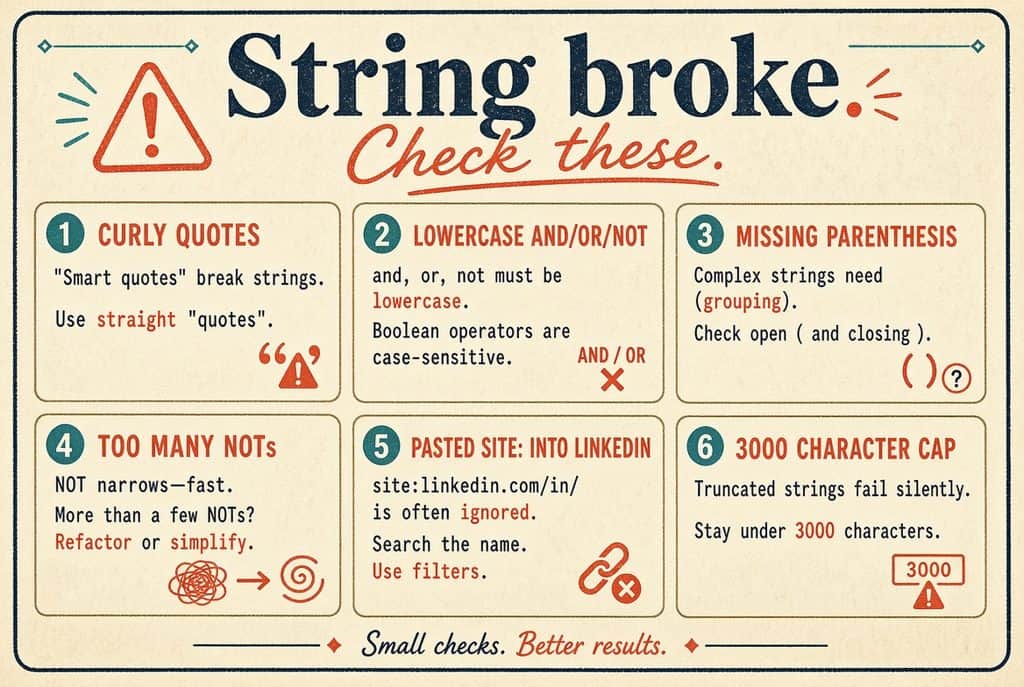
- Curly quotes. LinkedIn wants straight “. Anything copied from Google Docs, Notion, or Slack often arrives as “ ” and the phrase match dies.
- Lowercase operators on LinkedIn. Official help: AND, OR, and NOT must be uppercase or they are treated as keywords.
- OR next to AND with no parentheses. The engine decides the grouping. You will not like the grouping.
- NOT-ing a skill senior people list as a past tool. You wanted to drop juniors. You dropped the principal who mentioned mentoring them.
- Pasting a LinkedIn NOT string into Google. Google wants a minus. The word NOT is unreliable there.
- Pasting site: into Recruiter. That operator does not exist on LinkedIn. You just searched for the word “site”.
- A 40-term OR block. Free LinkedIn truncates long strings. The builder on this site will warn you when a LinkedIn string gets near that ceiling.
- Title-only thinking. People change headlines. If you only search the current title, you miss the person who started last month as a “team lead” and still has the skills you need.
When Boolean wins, and when an AI sourcer should take the first pass
Use Boolean when the requirement is a named thing: a license, a PLC platform, a clearance family, a warehouse system, a city. The string is inspectable. You can hand it to another recruiter. You can run it again in six weeks.
Use an AI sourcer when the requirement is a sentence the profile will never contain. “Has scaled a payments team from eight to forty.” “Has lived through a failed WMS cutover.” No one writes that as a keyword. For that job, a ranked shortlist with evidence on the card is faster than a perfect string.
Most desks end up hybrid. AI for the breadth pass. Boolean to audit the list, to X-ray GitHub, and to search the ATS. If your only use of LinkedIn Recruiter is Boolean plus InMail, an AI sourcer can cut a seat. If hiring managers live in LinkedIn, keep the seat and run the string there.
Skip the hand-written parentheses
The Boolean Search String Builder on Work Insiders is free. No account. Nothing is sent to a server.
- Modes for LinkedIn, Google X-ray, and GitHub.
- X-ray targets include LinkedIn profiles, GitHub, Stack Overflow, Dribbble/Behance, and Xing.
- Fields for titles, must-have skills, nice-to-haves, location, exclusions, and optional companies.
- Live string as you type, plus copy and open-in-Google.
- Paste a job description and pull keywords in the browser.
Use it when you are tired of counting parentheses. Keep this page open when you need to remember why the last string returned zero people.
More sourcing context: free sourcing tools, the stack we run, LinkedIn outreach, contact data tools, and the long URL for the same builder.
FAQ
Does Boolean search still work on LinkedIn in 2026?
Yes. LinkedIn still documents AND, OR, NOT, quotation marks, and parentheses. Operators must be uppercase. Wildcards, braces, brackets, and angle brackets are not supported. Plus and minus are not official LinkedIn operators.
Why did my string return nobody?
Usually one of four things: curly quotes, a missing parenthesis, too many AND terms, or a NOT that deleted the senior people. Strip the string back to title plus one skill, confirm you get a list, then add constraints one at a time.
Should I put location in the Boolean string?
On LinkedIn Recruiter, use the location filter. The filter is cleaner than hoping the word “Austin” appears in the summary. On free LinkedIn and on Google X-ray, you often have to put the city in the string because you do not have those filters.
Can I save strings?
The builder stores fields in the page URL, so you can bookmark or share a finished search. For a team library, keep a shared doc of strings that already produced interviews, not a graveyard of theoretical queries.
Is Boolean enough by itself?
No. Boolean finds people who used the words you typed. It does not score impact, it does not know who is open to a conversation, and it does not write the outreach. Pair it with a contact workflow and a human pass on the first page of results.