

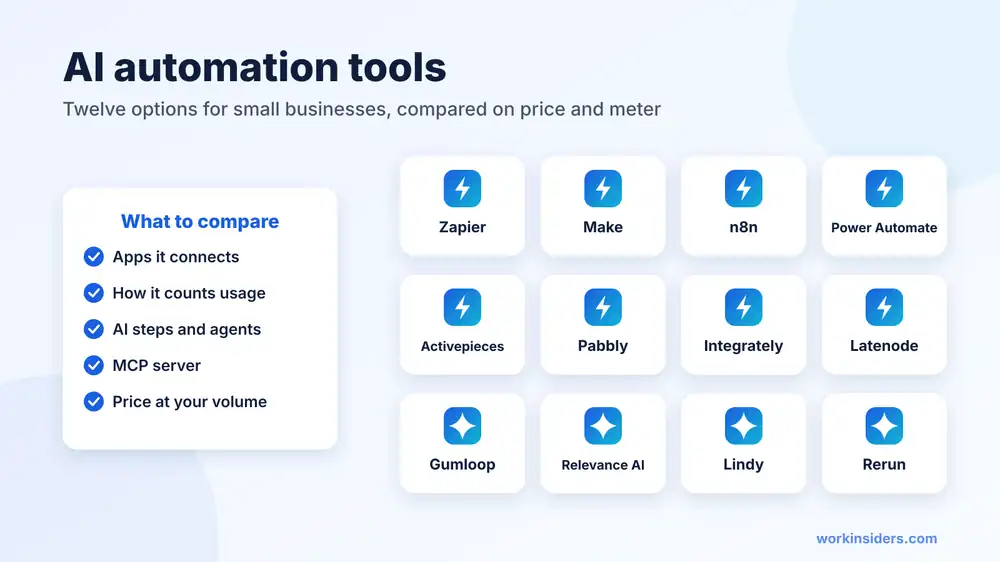
Quick answer: The AI automation tools most small businesses should look at first are Zapier (easiest, most apps), Make (cheapest visual builder at about $12 a month), n8n (best value at volume, free to self host) and Microsoft Power Automate ($15 a user a month if you live in Microsoft 365). For AI agents rather than fixed workflows, look at Gumloop, Relevance AI, Lindy and Rerun.
The deciding question: how does the tool count usage? Per step, per credit or per full run decides your bill far more than the sticker price.
Who this is for: small business owners, recruiters and operations leads picking their first or second automation tool.
What are AI automation tools?
AI automation tools move work between your apps without anyone copying and pasting, and use an AI model somewhere in the middle to read, sort, write or decide. A new form entry starts the workflow, AI reads it and scores it, and the result lands in your CRM with a Slack alert to the right person.
They come in three kinds. Workflow builders such as Zapier and Make run the steps you design and add AI steps where you need judgment. Agent builders such as Gumloop and Relevance AI let an AI decide the steps toward a goal. AI teammates such as Lindy work across your inbox and calendar like an assistant. If you are unsure which you need, read our explainer on AI agents for business first.
Which 12 AI automation tools are worth a look in 2026?
Prices are each vendor’s lowest paid plan, checked in November 2026 on the vendor’s site or in our workflow automation directory. Yearly billing is shown where the vendor leads with it.
| Tool | Kind | Free plan | Paid from | Bills by | MCP server |
|---|---|---|---|---|---|
| Workflow builder | Yes, 100 tasks a month | $19.99/mo | Tasks | Yes | |
| Workflow builder | Yes, 1,000 credits a month | $12/mo | Credits | Yes | |
| Workflow builder | Self hosted Community Edition | €20/mo | Full workflow runs | Yes | |
| Microsoft Power Automate | Workflow builder | 30 day trial | $15/user/mo | Per user or per bot | Through Copilot Studio |
| Activepieces | Workflow builder | Yes, 1,000 credits a month | $20/mo | Credits | Yes |
| Workflow builder | Yes | $16/mo | Action steps only | Yes | |
| Workflow builder | Yes | $19.99/mo | Tasks | No | |
 Latenode | Workflow builder | Yes, monthly allowance | Pay by runtime | CPU seconds | Yes |
| Agent builder | No | $37/mo | Subscription plus usage | Yes | |
 Relevance AI | Agent builder | No | $19/mo | Subscription plus usage | Yes |
| Lindy | AI teammate | $50 in credits for 7 days | $49.99/user/mo | Seats plus credits | Connects to MCP |
 Rerun | AI teammate | 5 day trial | $29/mo | Subscription | No |
Sources: Zapier pricing, n8n pricing, Power Automate pricing, Activepieces pricing, Lindy pricing, Gumloop pricing; other prices from the linked Work Insiders listings, each checked on the vendor’s own pricing page.
Which AI automation tools connect the most apps?
Zapier
Zapier is the default for a reason: it connects to more than 9,000 apps and is the easiest to learn. The free plan covers 100 tasks a month with two step Zaps, and paid plans start at $19.99 a month with multistep Zaps, premium apps, webhooks and AI fields, per Zapier’s pricing page. AI by Zapier steps can classify, summarize and call other apps as tools. The trade off is cost at volume, because every action step is a task. Our Zapier AI guide walks through the task math.
Make
Make uses a visual canvas where you can see every branch, which suits workflows with lots of routing. It is cheaper to start, from $12 a month for 10,000 credits on the Core plan, and lists an AI assistant, AI agents and an MCP server on its pricing page. Most actions use one credit, but reading data from an app counts too, so busy triggers add up.
n8n
n8n charges only when a workflow runs from start to finish, not per step, and its Community Edition can be self hosted for free, per n8n’s pricing page. The cloud Starter plan is €20 a month billed yearly for 2,500 workflow runs and includes agents, MCP and AI nodes. It rewards a little technical comfort.
Microsoft Power Automate
If your business runs on Outlook, Teams and SharePoint, Power Automate Premium costs $15 a user a month billed yearly and adds desktop automation for older software with no API, per Microsoft’s pricing page. Custom AI agents sit in Copilot Studio, billed separately in credits.
Activepieces, Pabbly Connect, Integrately and Latenode
These are the budget and niche picks. Activepieces gives up to five users 1,000 free credits a month and a $20 flat Plus plan, and runs in the cloud or on your own servers, per Activepieces pricing. Pabbly Connect counts only action steps and sells lifetime plans. Integrately offers ready made one click automations. Latenode bills by compute time, which suits long code heavy runs.
Which tools build AI agents instead of fixed workflows?
Choose these when the steps change from case to case, such as researching a prospect, enriching a list or preparing outreach.
- Gumloop connects hundreds of apps and any AI model, from $37 a month, with an MCP server.
- Relevance AI builds teams of agents for sales, support and HR, from $19 a month.
- Lindy works as a teammate in Slack, email and your calendar, and waits for approval before anything with outside impact, such as sending an email, per Lindy’s FAQ. It costs $49.99 a user a month.
- Rerun runs recurring tasks on a schedule with approvals before it acts, from $29 a month.
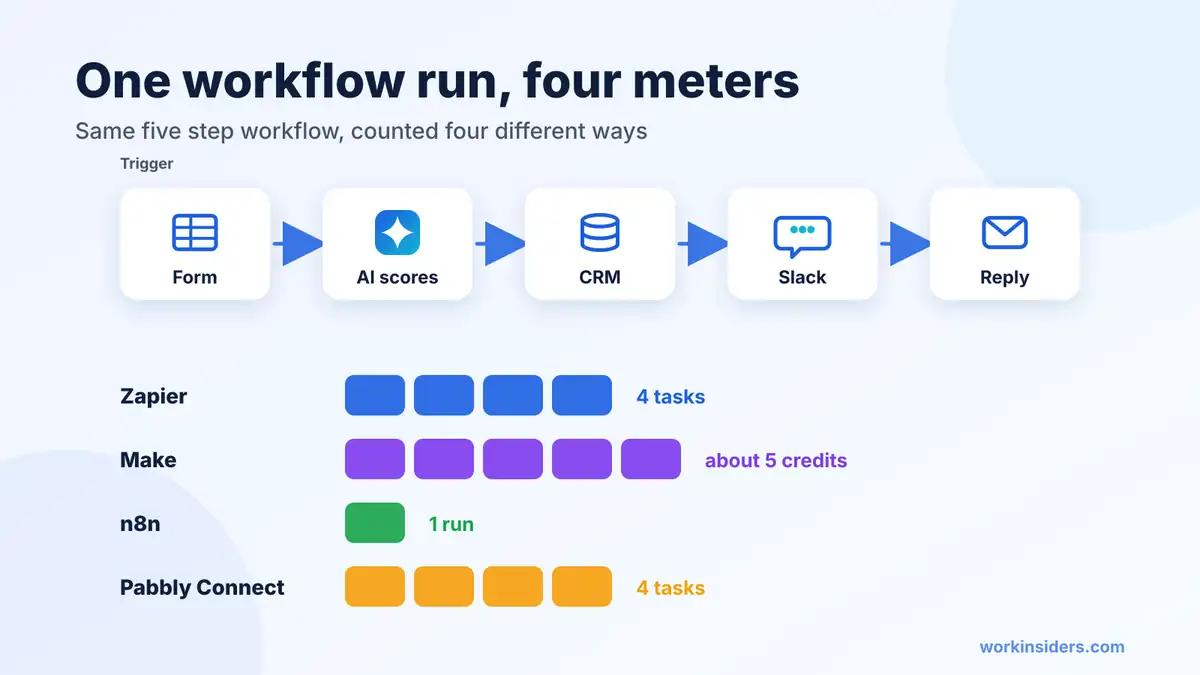
How do AI automation tools count usage?
Take one workflow with a trigger and four actions: new web form, AI scores it, add to CRM, post to Slack, send a reply. Here is roughly how each meter counts one run.
| Tool | Meter | One run uses | Notes |
|---|---|---|---|
| Zapier | Tasks | 4 tasks | Triggers and filters are free; Advanced AI steps count 3 tasks, Premium 5 |
| Make | Credits | About 5 credits | Reading the trigger data counts as a credit |
| n8n | Workflow runs | 1 run | Steps inside the run are not counted |
| Pabbly Connect | Tasks | 4 tasks | Only action steps count |
Sources: Zapier task rules, Zapier AI tiers, Make credit FAQ, n8n pricing. Run that workflow 500 times a month and Zapier counts about 2,000 tasks, Make about 2,500 credits and n8n 500 runs.
Which AI automation tool is best for a small business?
| If you | Start with | Why |
|---|---|---|
| Want it working this afternoon | Zapier | Most apps, simplest builder, free plan |
| Want the lowest monthly bill | Make or Activepieces | Low entry prices with generous credits |
| Run high volumes or need data on your own servers | n8n | Pay per full run or self host free |
| Already pay for Microsoft 365 | Power Automate | Fits Outlook, Teams and older desktop apps |
| Need research and judgment, not fixed steps | Gumloop or Relevance AI | Agents choose the steps toward a goal |
| Want help with inbox and calendar | Lindy | Teammate style with approvals built in |
What should you check before you pay for an AI automation tool?
- Your apps are on the list. Look for a ready made integration with real triggers and actions for each app, not only a generic webhook.
- How AI steps are charged. Some tools include AI models in the plan, others want your own API key, and some charge more per run for stronger models.
- What happens at the limit. On Make, scenarios pause until credits are added. On Zapier, work stops or moves to pay per task, depending on your settings.
- Approvals and logs. You want a pause before anything that sends, updates or deletes, and a history of every run.
- Who owns the account. Put it under a company login, not one person’s email, so workflows survive a resignation.
- Data rules. If you handle candidate or customer data, check where it is processed and whether you can self host. Our AI policy template lists the questions to ask.
What can recruiters and staffing firms automate first?
- New applicant alerts. Post each new candidate to Slack with a two line AI summary against the job brief.
- Lead routing. Score new client inquiries and send the hot ones to a recruiter’s phone within minutes.
- CRM hygiene. Update contact records when a reply comes in from your cold email tool.
- Interview follow up. Draft the thank you and next steps email for a recruiter to approve.
- Weekly reports. Pull pipeline numbers into a sheet every Monday.
Before you buy, check what you can build yourself with Claude or ChatGPT in our build vs buy guide, and read the common automation mistakes that burn domains and candidates.
Quick answers
What is the easiest AI automation tool for beginners?
Zapier. It has the most ready made templates and the simplest builder, and Copilot can draft a Zap from a plain English request.
Is there a free AI automation tool?
Yes. Zapier, Make and Activepieces have free plans, and n8n’s Community Edition is free if you host it yourself.
Is Make cheaper than Zapier?
Usually at the start: Make’s Core plan is $12 a month against Zapier’s $19.99. Heavy triggers can narrow the gap because Make counts data reads.
Which AI automation tools work with Claude or ChatGPT?
Zapier, Make, n8n, Pabbly Connect, Gumloop and Relevance AI all run MCP servers, so an AI assistant can trigger their actions.
Do I need to code?
No for Zapier, Make, Integrately and Pabbly. A little helps with n8n, Latenode and self hosting.
The bottom line
Pick the tool whose meter matches how you work. Zapier is the easiest start, Make is the cheapest visual builder, n8n wins at volume, and Power Automate fits Microsoft shops. Add an agent builder only when the work needs judgment, not fixed steps. Compare every option side by side in our automation directory.
Sources: Zapier, Zapier task rules, Make, n8n, Microsoft, Activepieces, Gumloop, Lindy, Work Insiders directory
Free newsletter
Get the Work Insiders weekly
One email a week: the recruiting and HR tech news that mattered, the tools we just added to the directory, and one practical guide. No spam, and you can unsubscribe in one click.