

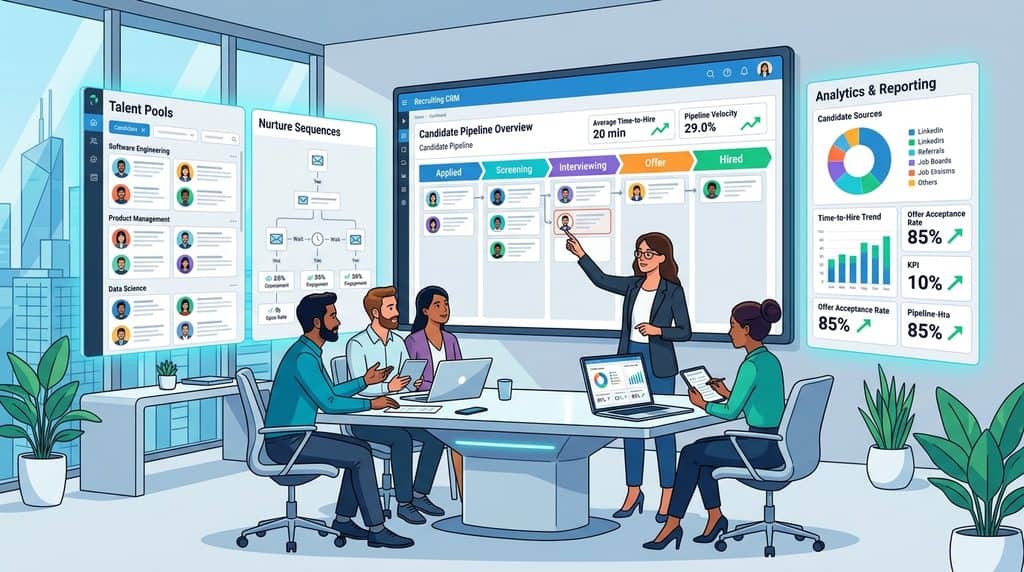
Quick answer: The best recruiting CRM for an in house talent team is usually the CRM that already lives inside, or syncs both ways with, your ATS. For startups and mid size companies that means Ashby, Gem, Greenhouse, Lever or Workable. For large enterprises running campaigns, events and talent communities across many countries, the shortlist is Avature, Beamery, Phenom and SmartRecruiters.
Who it suits: corporate recruiters, sourcers and talent marketers hiring for one employer who keep losing strong runners up, referrals and event leads once a job closes.
What to check: whether nurture sequences, CRM events and referrals are in the plan you are quoted, and how consent and deletion requests flow between the CRM and the ATS.
This guide is for employers hiring for their own company. If you run a recruitment agency and need client pipelines, placements and fees, read our separate guide to the best agency recruiting CRM instead.
What is the best recruiting CRM for an in house talent team?
The best recruiting CRM for an in house team is the one your recruiters open before a job is approved, not after. An agency CRM tracks clients and fees. A corporate talent CRM tracks people you want to hire later: past finalists, referrals, event sign ups, former employees and passive prospects.
Startups and scaleups usually pick an all in one platform such as Ashby or Gem, where the CRM and ATS share one candidate record. Mid market teams already on Greenhouse or Lever tend to use the CRM that comes with their ATS. Global enterprises with talent marketing staff look at Avature, Beamery or Phenom.
Do not pick on AI claims. One recruiter on r/Recruiter_Advice who ran Ashby for 18 months after a year of Gem wrote that the AI is mostly templates, meaning workflows plus message generation, and warned that the price rises quickly once seats and extensions are added. Pick on workflow fit and data quality.
Do in house recruiters need a CRM or are ATS talent pools enough?
ATS talent pools are enough for a team making fewer than a few dozen hires a year, mostly from inbound applicants. A CRM earns its cost when you source outbound, run hiring events, reuse runners up across similar roles, or hire the same profile repeatedly, such as engineers, nurses or store managers.
A simple test: try to find every final round candidate from the last 12 months for a role like the one you open next week. If that takes more than a few minutes, or you cannot email them as a group and track replies, you have outgrown ATS pools. Our explainer on ATS vs recruiting CRM covers the split in more depth.
Be honest about volume. In an r/recruiting thread, a startup planning 20 to 25 hires in a year was told the money might be better spent on sourcing or employer brand than software. If hiring is light, the CRM features in your ATS may carry you another year.
| Signal | ATS talent pools are fine | You need a recruiting CRM |
|---|---|---|
| Hiring volume | A handful of roles a quarter | Repeated roles or dozens of hires a year |
| Main source | Inbound applicants | Outbound sourcing, events and referrals |
| Runners up | Rarely reused | Regularly rehired for similar roles |
| Outreach | One to one emails | Multi step nurture sequences |
| Reporting need | Time to fill and pipeline | Which campaigns and sources produced hires |
Which features matter most in a corporate recruiting CRM?
Six features separate a working talent CRM from a contact list: talent pools that update themselves, nurture sequences, event capture, referral tracking, silver medalist rediscovery and two way ATS sync. Analytics that tie campaigns to hires sit on top of all six.
How should talent pools work in an in house CRM?
Talent pools should be saved searches that refresh as records change, not static lists someone exported once. Phenom describes its Talent CRM segments as rebuilding automatically as skills and status change. Ask every vendor to show a pool updating live when you edit a candidate’s skills.
What makes a good nurture sequence for candidates?
A good nurture sequence is multi step, stops when the candidate replies, and logs every touch to the candidate record. Gem lists multi channel, multi stage sequences and unlimited email finding on its standard seat, according to its Gem pricing page. Before you send at volume, check your sending domain with our free SPF DKIM DMARC checker and test copy in the cold email spam checker.
Do I need event management in a recruiting CRM?
You need event management if you run campus fairs, meetups or open days. Registration, check in and follow up should land in the same record as your applicants, so a graduate you met in October appears when the internship opens in March. Greenhouse includes just one CRM event on Core and unlimited CRM events on Pro, according to its Greenhouse plans page, which matters a lot for campus teams.
How should referrals and silver medalists be tracked?
Referrals should carry the referring employee, the date and the outcome, so bonuses and source reports are accurate. Silver medalists, the finalists you did not hire, should be tagged automatically at the offer stage. Avature says its CRM surfaces silver medalists, past applicants and current employees in one interface.
Why does two way ATS sync matter?
Two way sync stops recruiters keeping two versions of the same person. If a candidate applies, gets rejected or withdraws consent in the ATS, the CRM must know within minutes, and the reverse. Gem lists bi directional ATS sync on its standard seat. Ask for the sync frequency and which fields sync in writing.
How do the main in house recruiting CRMs compare in 2026?
The table below covers CRM tools built for employers rather than agencies. Prices come from each vendor’s own pricing page, as listed, September 2026. Where no price is published, the tool is marked quote based.
| Tool | Price as listed, September 2026 | CRM strengths | Best fit |
|---|---|---|---|
| Ashby | Foundations from $400 per month (up to 100 employees), 10% off annual; Plus and Enterprise quote based | ATS, sourcing, outreach and analytics in one record | Startups and scaleups wanting one system |
| Gem | Quote based by company size; startup program shows $130 per month; under 30 employees get six months free | Sourcing CRM, sequences, talent rediscovery, ATS sync | Outbound heavy tech teams, with or without its ATS |
| Greenhouse | Quote based (Core, Plus, Pro) | Prospect pools, email automation, CRM events | Mid market teams already on Greenhouse |
| Lever | Quote based | ATS and CRM in one platform, nurture built in | Teams that want nurture without a second tool |
| Workable | Standard $299 per month for 1 to 20 employees; Premier $599 | Talent CRM database, past candidate resurfacing, referrals on Premier | SMB teams wanting a published price |
| SmartRecruiters | Essential starting at $14,995; higher plans quote based | CRM, SMS and job distribution in every plan | Corporate and high volume hiring |
| Phenom | Quote based | Auto updating segments, events, campaigns tied to hires | Enterprises with career site and talent marketing needs |
| Avature | Quote based | Configurable CRM, email, SMS, WhatsApp and WeChat nurture | Global enterprises with complex processes |
| Beamery | Quote based | Skills data, sourcing and engagement tied to workforce planning | Large firms linking hiring to skills strategy |
| HubSpot | Free for up to 2 users; Starter $20 per seat per month | Contacts, email and simple workflows | Very small teams needing a stopgap |
Ashby’s price scales with company size, and the figure above is for the smallest band on its Ashby pricing page. Workable’s Workable pricing page also rises with headcount, and it offers a 15 day trial of the Standard plan. SmartRecruiters lists CRM on every plan on its SmartRecruiters plans page. Our pricing statistics show how often recruiting vendors hide their prices.
Is HubSpot good enough as a recruiting CRM for employers?
HubSpot works as a stopgap for a team of one or two recruiters who mainly need contacts and email. The HubSpot free tools cover up to 2 users, with 2,000 marketing email sends per calendar month carrying HubSpot branding. Starter is listed at $20 per seat per month, with a promotional lower price for new customers when we checked.
HubSpot has no candidate stages, silver medalist tagging or recruiting consent fields out of the box, so you build them and sync with the ATS by hand. Once you add a second recruiter or run events, a recruiting CRM is usually cheaper than that upkeep. See more options in our free recruiting CRM list.
Should an enterprise choose Avature, Beamery or Phenom?
An enterprise should choose between these three based on what it needs the CRM to connect to. All three are quote based and usually sold with implementation work, so the demo matters less than the reference calls.
Avature suits companies that want to configure everything, including multilingual nurture over email, SMS, WhatsApp and WeChat. Phenom suits teams that want the CRM tied to a career site, screening and scheduling in one platform, and it reports campaign performance against hires rather than just clicks. Beamery positions itself around skills data and workforce planning, with sourcing and engagement connected to systems like Workday and SAP, according to the Beamery platform page.
Ask each vendor for two reference customers in your industry, and ask them how many recruiters still log in weekly. Adoption, not feature count, decides whether an enterprise CRM pays back.
How do you run a 30 day pilot of a recruiting CRM?
Run a pilot on live roles, not a sandbox of sample data. One commenter in an r/recruiting thread on Gem suggested a 30 day pilot with live requisitions as a better guide than demos, and that holds for any CRM.
- Week one: pick two or three open roles that repeat, such as account executives or support agents. Import the last 12 months of finalists and referrals for those roles and check how many duplicates the import creates.
- Week two: build one auto updating talent pool per role and launch a three step nurture sequence to past finalists. Record reply rate and unsubscribe rate.
- Week three: reject a candidate, withdraw one and delete one in the ATS. Check each change appears in the CRM and note how long it took.
- Week four: ask for the report that shows which pool, event or sequence produced interviews and offers. Price the plan you would actually need, including seats, events and add ons.
| Pilot metric | How to measure it | Red flag |
|---|---|---|
| Rediscovery rate | Past finalists moved into a new pipeline | Recruiters still source from zero |
| Nurture reply rate | Replies divided by candidates emailed | Replies not logged to the record |
| Sync delay | Minutes from ATS change to CRM update | Manual export needed |
| Recruiter adoption | Weekly active users in the pilot group | Fewer than half log in weekly |
| Full cost | Written quote with every add on | Events, texting or AI priced separately |
How do GDPR and consent rules apply to a recruiting CRM?
GDPR applies to every person in your CRM who is in the UK or EU, including prospects who never applied. The main risk for in house teams is keeping sourced profiles and past applicants indefinitely without telling them.
Article 14 of GDPR says that when you collect data from somewhere other than the person, you must tell them who you are, why you hold the data and where it came from. That notice is due within a reasonable period and within one month at the latest, or at your first message if you plan to contact them. In practice, your first sourcing email should link to a privacy notice.
The UK ICO says employers must identify and document a lawful basis before processing candidate data, and should carry out a legitimate interests assessment if they rely on that basis, according to its recruitment guidance. The ICO notes that guidance is under review after the Data (Use and Access) Act, so check it again before you finalise your policy.
When you evaluate tools, look for automated retention rules, consent capture on forms, and deletion that flows between CRM and ATS. Workable lists GDPR automation and data retention rules in all plans, and Greenhouse lists single purpose consent. Ask every vendor where data is hosted and for its data processing agreement.
Quick answers
What is the difference between a talent CRM and an ATS?
An ATS moves applicants through open jobs to an offer. A talent CRM holds people you may hire later, such as prospects, past finalists and event leads, and nurtures them until a role opens.
Is Gem a CRM or an ATS?
Gem started as a sourcing CRM and now also sells a built in ATS. It can sit on top of your existing ATS with two way sync, or replace it with its all in one plan.
Can a startup use a free recruiting CRM?
Yes. HubSpot’s free tools cover up to 2 users, and companies under 30 employees can use Gem’s all in one plan free for six months, according to Gem’s pricing page in September 2026.
How long should a recruiting CRM pilot last?
Thirty days on two or three live, repeating roles is enough to test imports, nurture, sync and reporting. Shorter pilots rarely show whether recruiters will keep using it.
Do I need consent to keep past applicants in a CRM?
Under GDPR you need a documented lawful basis, which is often legitimate interests rather than consent, plus a clear privacy notice and a retention limit. Take legal advice for your countries.
The bottom line
For most in house teams, the best recruiting CRM is the one tightly joined to your ATS: Ashby or Gem for fast growing companies, the built in CRM in Greenhouse, Lever or Workable if you already use them, and Avature, Beamery or Phenom for global enterprises. Prove it with a 30 day pilot on live roles and a written quote that includes every add on. Browse every option in the recruiting CRM directory or compare systems of record in the ATS directory.
Sources: Gem pricing, Ashby pricing, Workable pricing, SmartRecruiters pricing, Greenhouse pricing, Lever pricing, HubSpot pricing, Phenom Talent CRM, Avature CRM, Beamery platform, GDPR Article 14, ICO recruitment guidance, r/Recruiter_Advice thread, r/recruiting Gem thread
Free newsletter
Get the Work Insiders weekly
One email a week: the recruiting and HR tech news that mattered, the tools we just added to the directory, and one practical guide. No spam, and you can unsubscribe in one click.