

Quick answer: A free AI job description generator, such as the ones built into LinkedIn, Indeed, Workable or your ATS, or a general assistant like ChatGPT, Claude or Grok with a good prompt, is enough for most teams. Paid tools like Textio, Datapeople, Ongig and UInclude earn their cost when you post many jobs a month and need inclusive language scoring, pay transparency checks and a shared job library.
Who it suits: recruiters and hiring managers who want a solid first draft in minutes without posting something generic, biased or illegal.
What to check: that every AI draft has a real salary range where the law requires one, no age or gender coded wording, and only requirements the hiring manager will actually screen for.
What is an AI job description generator and is it worth using?
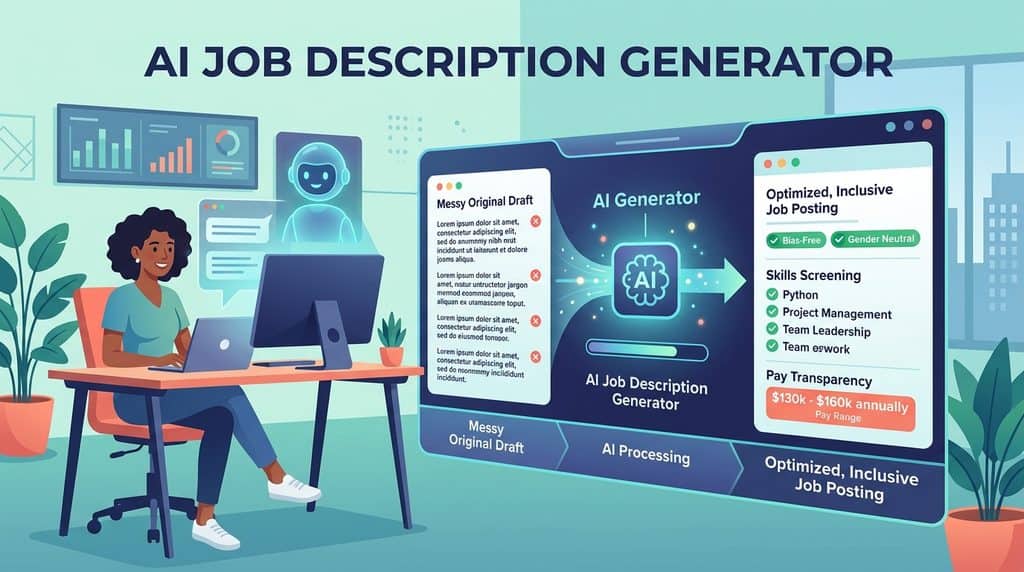
An AI job description generator turns a job title and a few details into a full draft posting with a summary, duties, requirements and benefits. It is worth using for the first draft, not for the final one.
The time saving is real. Indeed says its generator, which pairs OpenAI’s GPT with Indeed’s own data, produced drafts in under five seconds on average in beta tests, and that employers using it saw about a 16% increase in applications. Treat that as a vendor figure, not an independent study.
The weakness is sameness. A hiring manager on r/recruiting said ChatGPT made his job descriptions sound generic unless he spent 30 minutes or more tailoring them. Other recruiters replied that 30 minutes is a small price for specifying a new hire. The fix is a better prompt and a firm review step. Browse more tools in our job description software directory.
How do you write a prompt that gets a good job description?
A good prompt gives the AI the facts only you know: what the person will actually do in the first year, the real must have skills, the pay range, the location rules and your company voice. Without those facts, every generator falls back on the average of the internet, which is why AI job descriptions sound alike.
Indeed’s own guidance on improving ChatGPT drafts makes the same point: be specific, list the key responsibilities yourself, and expect to cut the output by a quarter or even a half. Tellent Recruitee’s guidance for its built in writer suggests opening with a verb, being concise and setting a word limit, such as 200 to 300 words.
Copy the template below into ChatGPT, Claude, Grok or any generator that accepts free text. Fill in every bracket before you run it.
You are an experienced in house recruiter. Write a job posting for the role below. Use plain, friendly English, second person (“you will”), short sentences and no jargon. Maximum 400 words.
Role title: [title candidates would search for]
Team and manager: [team name, who they report to, team size]
Location and work pattern: [city and state or country, on site, hybrid days, or remote and which countries]
Pay: [salary or hourly range, for example $85,000 to $100,000, plus bonus or equity if any]
Benefits: [top 3 to 5 real benefits]
What they will do in the first 6 to 12 months: [3 to 5 concrete outcomes]
Must have skills (we will screen for these): [maximum 5, written as skills, not years]
Nice to have: [maximum 3]
What we do not require: [for example a degree, a specific industry]
Company in two sentences: [what you do and why it matters]Rules: do not add requirements I did not list. Do not mention age, graduation year, “digital native”, gender, or physical traits unless essential to the job. Avoid words such as “rockstar”, “ninja”, “dominant” and “aggressive”. Keep the pay range exactly as given. End with a short line inviting people who meet most of the must haves to apply, and a line on how to request an adjustment during hiring.
The “we will screen for these” line matters most. It forces the hiring manager to decide what the interview will test, which also makes your posting ready for skills based hiring. If you use Grok, our guide to the Grok bot for recruiting shows how to reuse prompts like this one.
What does a before and after AI job description look like?
The table below shows a typical one line prompt output for a customer success manager, and the same posting after using the template and a human review. The “before” lines are the kind of phrasing unedited generators often produce.
| Section | Before: one line prompt | After: template plus review |
|---|---|---|
| Opening | “We are seeking a dynamic, results driven rockstar to join our fast paced team.” | “You will look after 40 mid size customers and help them get value from our scheduling software in their first year.” |
| Responsibilities | Twelve generic bullets, including “other duties as assigned” | Five outcomes, such as “cut churn in your book by running quarterly reviews” |
| Requirements | “Bachelor’s degree and 7+ years in SaaS; recent graduates with high energy welcome” | “You have managed a customer portfolio, run renewal calls and used a CRM daily. No degree required.” |
| Pay | “Competitive salary” | “$70,000 to $82,000 base plus up to 10% bonus” |
| Location | “Flexible” | “Hybrid, two days a week in our Denver office” |
| Close | “Only exceptional candidates need apply.” | “If you meet most of the must haves, apply. Tell us if you need any adjustment during interviews.” |
The “after” version is shorter, names the real work, drops a degree the team never used to screen, and states pay. It also removes “recent graduates”, a phrase the EEOC gives as an example of wording that may discourage people over 40 and may violate the law.
Which free AI job description generators are worth trying?
Free generators fall into three groups: job boards that draft while you post, ATS platforms with a built in writer, and general AI assistants. Job board tools are the fastest because the draft goes straight into the listing. General assistants give you the most control over voice and structure.
| Tool | What it offers today | Watch for |
|---|---|---|
| LinkedIn job posting | “Draft with AI” button when you post a job, powered by Hiring Pro | Free posts stay active up to 14 days and cap applications at roughly 10 to 30 |
| Indeed | Generator inside “Post a job”, built on OpenAI GPT and Indeed data | Draft is tuned for Indeed’s own guidelines, not your brand voice |
| Workable | Free web generator, plus a library of 1,000+ job description templates | Output is generic until you add your own details |
| Tellent Recruitee | AI writer inside the job editor, built on OpenAI GPT, accepts prompts in any language | Only available to Recruitee customers |
| Greenhouse | Job post description suggestions listed as a plan feature | Quote based ATS, so only useful if you already use it |
| ChatGPT, Claude or Grok | Full control with a structured prompt | No bias scoring or legal checks built in |
LinkedIn’s help page on posting a free job confirms the Draft with AI option and the free post limits. Tellent explains its writer in a post on Recruitee AI job descriptions, and advises that a human should always review the draft. Our explainer on how an ATS works covers where postings live.
When should you pay for Textio, Datapeople or another dedicated tool?
You should pay for a dedicated tool when you post dozens of jobs a month, many people write them, and legal or employer brand teams need a record of what went live. A dedicated tool adds scoring, shared templates and approval workflows that a chat assistant does not provide.
| Tool | Price as listed, September 2026 | Standout |
|---|---|---|
| Textio | Quote based | Textio Score, gender tone meter and age graph; extensions for ATS, HRIS and LinkedIn |
| Datapeople | Quote based | Pay transparency monitoring, First Draft AI job builder, unlimited hiring manager collaboration on typical plans |
| Ongig | Lite $4,900 per year (100 jobs, 3 users); Professional from $14,900 per year | AI writing and pay transparency compliance on Professional |
| UInclude | Basic $195 per team per month, or $165 per month billed annually | Bias detection across 10 job ads a month for up to 3 users |
Textio’s recruiting product page lists the scoring and extensions, with pricing by demo. The Datapeople plans page splits features across Comply, Architect and Attract tiers without prices. Ongig publishes tiers on its Ongig pricing page, and UInclude on its UInclude pricing page. For five jobs a month, UInclude Basic or a good prompt is enough; for hundreds, a Textio or Datapeople quote is worth the call.
Does inclusive wording in a job description actually change who applies?
Yes, but the effect is modest, so treat inclusive wording as one lever rather than a cure. The most cited evidence is a 2011 paper by Gaucher, Friesen and Kay in the Journal of Personality and Social Psychology, which used two archival studies and three experiments.
The researchers found that ads for male dominated jobs used more masculine coded words, such as leader, competitive and dominant, while feminine coded words like support and understand appeared at similar rates across fields, according to the PubMed abstract. When the same ad was reworded to be more masculine, women rated the job less appealing, 4.16 versus 4.50 on a 6 point scale, and felt they would belong less, according to the Harvard GAP summary. Wording did not change how skilled women felt they were for the job.
The practical lesson is to swap coded words where a neutral word says the same thing, such as “drive results” instead of “dominate the market”, without stripping real requirements. Textio or UInclude flag these words automatically; a careful prompt and checklist catch most of them for free.
Which pay transparency laws require a salary range in job postings?
A growing list of US states and cities require a pay range in the posting itself, and AI generators do not add one unless you give it to them. The table below summarises the posting rules in a Jackson Lewis 2026 update. It is a summary, not legal advice.
| Jurisdiction | Who is covered | What the posting must include |
|---|---|---|
| Colorado | Employers with at least one employee in Colorado | Pay range, other compensation and benefits, including remote roles |
| California | 15 or more employees | Pay scale, including certain remote roles |
| New York State | 4 or more employees | Compensation range and the job description if one exists |
| Washington | 15 or more employees | Salary range or fixed wage, other compensation and benefits |
| Illinois | 15 or more employees | Pay scale and benefits |
| Massachusetts | 25 or more employees | Pay range |
| New Jersey | 10 or more employees | Pay range, benefits and other compensation |
| Minnesota | 30 or more employees | Starting salary range or fixed rate, plus benefits |
| Maryland, Vermont, Hawaii, Washington DC | Varies (Vermont 5 or more, Hawaii 50 or more) | Pay range, with benefits in Maryland and DC |
| Delaware | 26 or more employees | Pay range and benefits, effective September 26, 2027 |
Remote roles are the common trap. Several of these states cover remote jobs that could be filled by someone living there, so a posting that says “remote, US” usually needs a range. Link your range to a real band, and if you manage bands in software, see our compensation tools list.
How do you review an AI job description before it goes live?
Review every AI draft against a fixed checklist, and have the hiring manager sign off on accuracy while recruiting signs off on language and law. Indeed recommends reading the draft aloud and getting a second pair of eyes before posting, which catches most of the robotic phrasing.
| Check | What to look for | Owner |
|---|---|---|
| Accuracy | Duties match the real job; no invented tools, certifications or travel | Hiring manager |
| Must haves | Five or fewer, each one tested in the interview plan | Hiring manager and recruiter |
| Pay | Range present, matches the approved band, meets state rules | Recruiter |
| Age and gender cues | No “recent graduate”, “digital native”, “young team” or gender coded words | Recruiter |
| Degree and years | Removed unless genuinely required | Hiring manager |
| Accessibility | Physical requirements only if essential; adjustment contact included | Recruiter |
| Location | Office days and eligible countries or states stated | Recruiter |
| Length and voice | Under about 600 words, reads naturally out loud | Recruiter |
Once the posting is live, reuse the must haves to build your interview kit. Our list of behavioral interview questions maps well to skills written this way.
Quick answers
What is the best free AI job description generator?
For speed, use the generator built into where you post, such as LinkedIn or Indeed. For control, use ChatGPT, Claude or Grok with the prompt template in this guide.
Can I paste a ChatGPT job description straight into a posting?
You can, but you should not. Check accuracy, pay range, coded wording and inflated requirements first, and expect to cut a good share of the text.
Is Textio worth it for a small company?
Usually not. Textio is quote based and suits companies posting many jobs with several writers. A small team gets most of the value from a strong prompt and a checklist, or from UInclude Basic at $195 per team per month.
Do AI generators add salary ranges automatically?
No generator knows your approved pay band. You must give the range in the prompt and check it survives the draft, especially for roles in Colorado, California, New York, Washington or Illinois.
Are gender coded words in job ads really a problem?
Gaucher, Friesen and Kay found that masculine coded wording made jobs less appealing to women and lowered their sense of belonging, though the effect sizes were modest. Neutral wording costs nothing, so it is worth fixing.
Should the hiring manager or the recruiter write the job description?
The hiring manager owns the facts and the recruiter owns the language and compliance. AI works best when the manager fills in the prompt and the recruiter edits the result.
The bottom line
An AI job description generator is a first draft machine. Feed it real outcomes, real must haves and a real pay range, then run the checklist before anything goes live. Free tools cover most teams; Textio, Datapeople, Ongig and UInclude pay off at volume. Compare options in the job description directory and see where postings live in the ATS directory.
Sources: Indeed generator, Indeed ChatGPT guidance, LinkedIn Help, Tellent Recruitee, Workable generator, Greenhouse plans, Textio Recruiting, Datapeople plans, Ongig pricing, UInclude pricing, Gaucher et al. 2011, Harvard GAP summary, Jackson Lewis, EEOC job ads, r/recruiting thread
Free newsletter
Get the Work Insiders weekly
One email a week: the recruiting and HR tech news that mattered, the tools we just added to the directory, and one practical guide. No spam, and you can unsubscribe in one click.