
SalesQL
LinkedIn email and mobile finder.
From $49/mo MCP server API
Bottom line
LinkedIn email and mobile finder working from a browser extension, on credits. Around $49/mo, with a free plan.
Stands out for: MCP on a lightweight browser finder, which is rare at this price.
Watch out for: Single-source rather than a waterfall, and the integration list is thin.
Overview
SalesQL is a LinkedIn email and mobile finder that runs from a browser extension on a credit model. It is contact data rather than a sequencer. MCP is available, and there is an API.
Teams pick it when the profile is open and the email is not. There is a free plan to start on, with paid plans from around $49 a month.
Who it's for
Best for
- Recruiters who work in LinkedIn all day
- Desks pushing contacts to HubSpot or Salesforce
- Teams that want MCP on a finder
- Individual sourcers buying credits
Not ideal for
- Teams that need unlimited dials
- Buyers who want multi-source waterfall coverage
Key features
Chrome. Capture contacts from the browser while you work lists and profiles.
MCP. Agent connector so an LLM client can query product data.
Screenshots
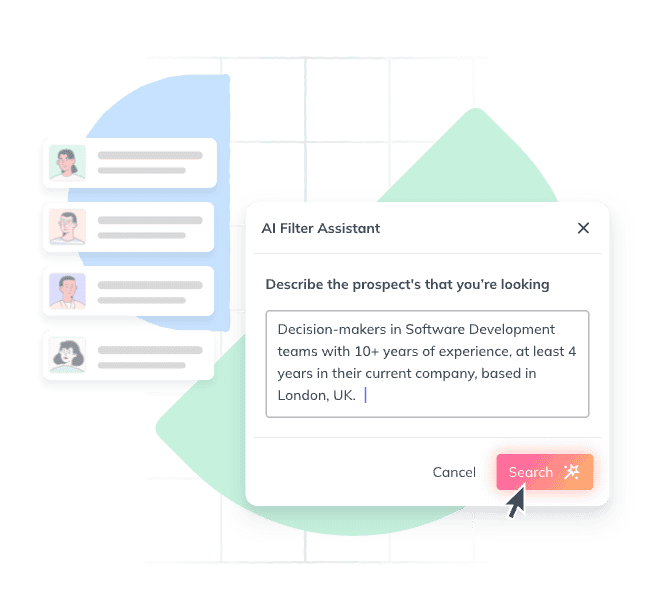 AI prospecting search
 Save prospects to lists
Images: SalesQL's own website. Select an image to see it full size.
MCP server
The vendor runs its own MCP server but does not publish one public address, so connect through the vendor's own setup steps.
Setup steps and live status MCP Directory Check your stack in the MCP readiness checker
Pricing
From ~$49/mo. Confirm current terms on the vendor site.
Checked 7 Sep 2026. Vendors change prices without notice.
Is SalesQL expensive?
SalesQL starts at $49/mo. We list 127 email finders tools in total. 44 have a free tier, and those with a public price typically start around $49 a month.
- 17 quote-based
- 44 free tier
- 97 public price
Worked out automatically from every email finders listing, so it updates as the directory changes.
Pros and cons
Pros
- Browser-first workflow
- MCP available
- Free plan to start on
Cons
- Single-source rather than a waterfall
- Thin integration list
Integrations
HubSpot Salesforce
What's new at SalesQL
No updates logged yet. Follow SalesQL and we will email you when it announces something new or its starting price changes.
Follow SalesQL
Get an email when SalesQL ships a new feature, posts release notes or changes its starting price. Only when something changes, and you can stop in one click.
How SalesQL compares
See all SalesQL alternatives, with what each one does differently and a head to head for every pairing.
| Tool | Free tier | From | MCP | API | Compare |
|---|---|---|---|---|---|
| | – | $49/mo | ✓ | ✓ | |
| | ✓ | $14/mo | – | – | Compare |
| | ✓ | €49/mo | – | ✓ | Compare |
| | ✓ | $33/mo | ✓ | ✓ | Compare |
| | – | $99/mo | ✓ | ✓ | Compare |
€49/mo Free tier API
European browser enrichment with a free plan.
$33/mo Free tier MCP API
People search plus phones if you are not starting from LinkedIn.
Your next step
Shortlisting SalesQL?
Still deciding? Ask an AI assistant about SalesQL.
ChatGPT (opens in a new tab)Claude (opens in a new tab)Grok (opens in a new tab)