

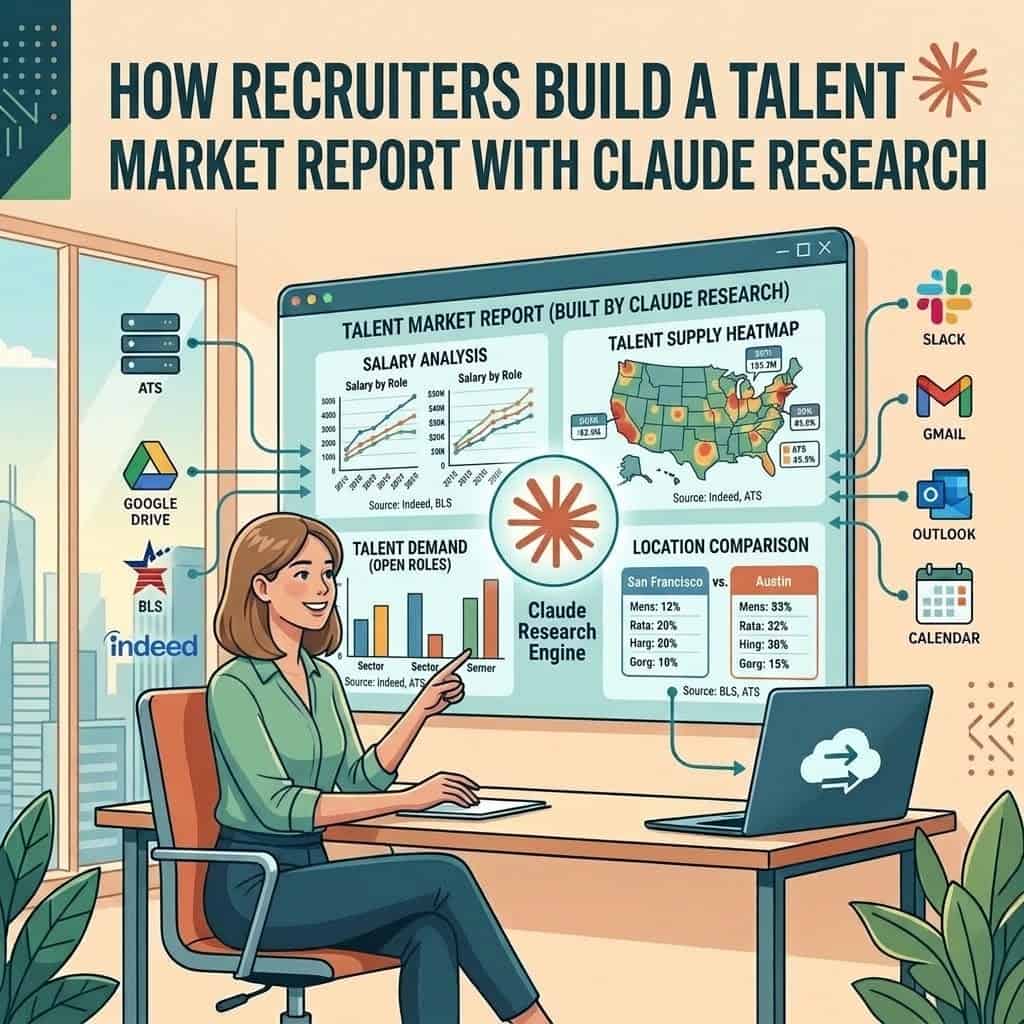
Quick answer: Turn on Research in Claude, give it the role, the locations and the questions your client is really asking, and it searches the web across hundreds of pages and returns a cited report in minutes. Check every figure against the page it cites, ask Claude to put the result into your report template, and you have a client deliverable that used to take an analyst days.
What it costs: Research is included on every paid plan, starting with Claude Pro at $20 a month, or $17 a month billed annually. It is not on the Free plan.
Why agencies use it: a market report answers the questions clients ask before they sign a search, which makes it one of the best business development tools a recruiter can send.
What is Claude Research and how is it different from a normal chat?
A normal chat with web search looks up a few pages and answers. Research works for longer: Anthropic says Claude runs multiple searches that build on each other, decides what to look into next and returns an answer with citations you can check. It can also read your connected Gmail, Calendar and Google Docs alongside the web.
The difference shows up in the output. Elena Volk, writing for ERE, describes a client deciding where to open a Senior DevOps hub across Poland, Portugal, Romania and Spain. One Research run compared talent pool size, gross and net pay, employer taxes, saturation and remote norms, cited 326 sources, and let the client decide the same day instead of three weeks later.
| Chat with web search | Research | |
|---|---|---|
| Plans | All, including Free | Pro, Max, Team and Enterprise |
| Sources read | A handful | Many, in rounds that build on each other |
| Time | Seconds | Several minutes |
| Citations | Some | Throughout the report |
| Usage limits | Normal | Same limits, used up faster |
| Best for | One quick fact | A question with several parts and locations |
Research needs web search switched on to work, and if Claude does not seem to start researching, Anthropic’s advice is to ask it directly to use the research tool.
What should a talent market report for a client include?
Keep it to what helps the client decide: whether the hire is realistic, what it will cost, how long it will take and what to change if the answer is “not as briefed”. Six sections cover most searches.
| Section | What it answers | Where the data comes from |
|---|---|---|
| Demand | How many employers are hiring this role here, and is it rising | Job posting trends, openings data |
| Supply | Roughly how many people do this job in each location | Government employment data, your own searches |
| Pay | What the market pays, and where the brief sits against it | Government wage data, salary surveys, live job ads |
| Competition | Who else is hiring the same people and what they offer | Company careers pages, news, job ads |
| Time to fill | A realistic range, with the reasons | Your own placement history, industry surveys |
| Recommendation | What to change: pay, location, title, remote policy or must haves | Your judgment, using everything above |
Which data sources should Claude use?
Tell Claude which sources to lean on. Left alone, it will mix strong sources with blog posts and vendor marketing. For US roles, three free public sources do most of the work.
| Source | Use it for | Watch out for |
|---|---|---|
| BLS wage data | Pay and employment by occupation and metro area | Published once a year, so it trails the live market |
| BLS JOLTS | Job openings, hires and quits by industry | National and industry level, not by job title |
| Indeed Hiring Lab | Job posting trends by sector and country | Postings are not the same as hires |
| Live job ads and careers pages | Current pay ranges, titles and competing offers | Pay ranges in ads are often wide |
| Your ATS and placement history | Real time to fill, offer acceptance and pay you have closed at | Small samples; say so in the report |
Our page of labor market data lists more trackers, and the monthly Staffing Market Brief summarises the staffing numbers. Your own placement data is the part no competitor has, so put it in. Our guide to analyzing recruiting data shows how to pull it from an ATS export.
How do you build the report with Claude, step by step?
1. Make a Project for market reports
Create a Project and add your report template, your firm’s logo and colours, one past report you were proud of and a short note on tone. Volk’s team keeps a client report template in its Project so every output comes back in the same format.
2. Write the client’s real question
“Senior DevOps market in Austin” is a topic. “Can we hire two senior DevOps engineers in Austin within 60 days at $160,000, or should we open the role to remote” is a question Claude can answer. Write the question, the locations, the pay the client has in mind and any constraint from the intake call.
3. Turn on Research and run the prompt
Switch on web search and Research, then paste the prompt below. Expect it to take several minutes. While it runs, pull your own placement numbers for the same role.
4. Check every number
Click through the citation behind each figure in the report. Make sure the number on the page matches, the date is recent and the geography is the one you asked for. Delete anything you cannot confirm. Clients remember one wrong salary figure longer than ten right ones.
5. Add what only you know
Add your own placement data, what candidates told you on calls and what you have seen competitors offer. This is what turns a research summary into advice worth paying for.
6. Put it in your template and send it
Ask Claude, in the same chat, to reformat the checked findings into your template. Pro and higher plans include Claude Docs and Slides, so it can produce a document or a short deck you can export and send.
Claude prompt: talent market report
Use the research tool. My client wants to hire [NUMBER] [ROLE] in [LOCATIONS] within [TIMEFRAME] at around [PAY]. Their real question is: [QUESTION].
For each location, research: how many people work in this occupation, how demand has changed over the last 12 to 18 months, the pay range with the median, the main employers competing for the same people and what they offer, remote and hybrid norms, and a realistic time to fill.
Prefer government statistics, Indeed Hiring Lab, company careers pages and current job ads. Avoid vendor marketing pages and undated blog posts. Give the date and source of every figure.
Finish with a comparison table across locations and a plain recommendation on what the client should change, if anything, to hire on time. If sources disagree, show both figures. If you cannot find a number, say so instead of estimating.
How do you stop Research from getting the numbers wrong?
Research cites its sources, but a citation is not proof. The common mistakes are predictable, and so are the checks.
| Mistake | Check |
|---|---|
| An old figure presented as current | Look at the date on the cited page |
| National data used for one city | Check the geography on the cited page |
| Job ad pay treated as actual pay | Label ad ranges as advertised, not paid |
| Two job titles merged into one | Check the occupation the source measures |
| A vendor survey treated as neutral | Name the publisher next to the figure |
Keep candidate names and client confidential details out of Research prompts. The report is about the market, not about people, and it does not need either.
How do agency recruiters use market reports to win clients?
Send a short version to a hiring manager before you ask for the search. A one page view of their market, with pay, competition and a realistic timeline, shows you know the space and gives them a reason to reply. Volk lists pre call competitive intelligence on prospects and quarterly market reports for clients among the jobs her team now gives to Research.
It works best when you pair it with timing. Our guide to hiring signals shows how to spot companies that just started hiring, and finding clients with Claude covers the outreach. A report for a company that posted three roles this week lands very differently from a cold pitch.
Can you refresh the report every quarter automatically?
Yes. Save the prompt as a scheduled task that runs once a quarter and drafts an updated report for you to check. Our guide to scheduling recruiting tasks walks through the setup. Keep a human check on every refresh before it reaches a client.
Quick answers
Is Claude Research free?
No. Research is on Pro, Max, Team and Enterprise plans. The Free plan has web search, which handles quick lookups but not a full multi location report.
How long does Claude Research take?
Several minutes for a typical market question. ERE’s example of a four country comparison came back in about ten minutes with 326 sources.
Can Claude give accurate salary data?
It can find and summarise published salary data, but it is only as good as its sources. Use government wage data and current job ads, label each figure with its source and date, and check them yourself.
Can I sell market reports to clients?
Many agencies include them free to win a search, and some charge for talent mapping or market studies. Either way, the value is your own data and judgment added to the research, not the research alone.
What is the difference between a market report and a talent map?
A market report describes the market: demand, supply, pay and competition. A talent map lists the named people who could fill the role. Our talent mapping guide covers the second.
The bottom line
Claude Research turns a client’s market question into a cited report in minutes, which used to be days of analyst work. Ask a real question, point it at strong sources, check every figure against its citation and add the placement data only you have. Send the short version to prospects before you pitch, and refresh it each quarter for clients you already have.
Sources: Claude Research help, Claude pricing, ERE Claude article, BLS wage data, BLS JOLTS, Indeed Hiring Lab
Free newsletter
Get the Work Insiders weekly
One email a week: the recruiting and HR tech news that mattered, the tools we just added to the directory, and one practical guide. No spam, and you can unsubscribe in one click.