

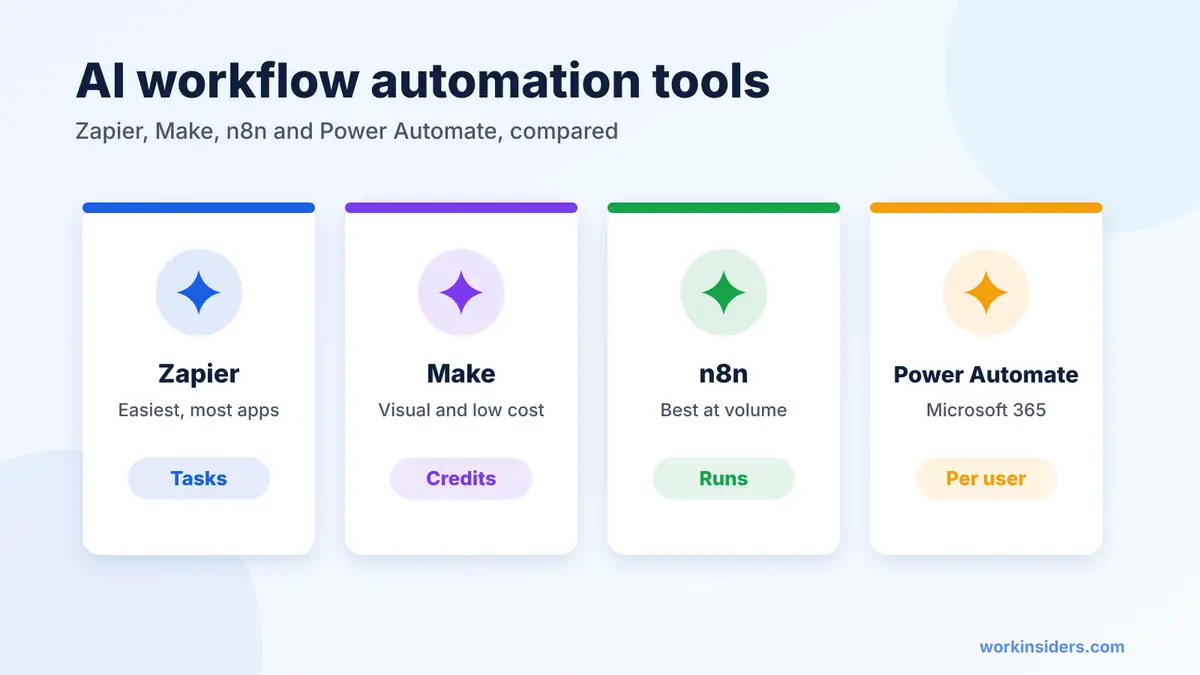
Quick answer: The four AI workflow automation tools most teams shortlist are Zapier, Make, n8n and Microsoft Power Automate. Zapier is the easiest and connects the most apps. Make is the cheapest visual builder. n8n is the best value for heavy or technical use because it bills per full workflow run and can be self hosted. Power Automate fits companies already paying for Microsoft 365.
The deciding question: will your workflows run hundreds of times a day, or a few dozen? High volume favors n8n; low volume and many apps favor Zapier or Make.
Who this is for: teams comparing AI workflow automation software before they commit.
How do the top AI workflow automation tools compare?
| Zapier | Make | n8n | Power Automate | |
|---|---|---|---|---|
| Free option | 100 tasks a month | 1,000 credits a month | Self hosted Community Edition | 30 day trial |
| Paid from | $19.99/mo | $12/mo (yearly) | €20/mo (yearly) | $15/user/mo (yearly) |
| Bills by | Tasks (each action step) | Credits (each module action) | Full workflow runs | Per user or per bot |
| AI inside workflows | AI by Zapier steps with tools, Copilot | AI agents, Maia assistant, AI apps | Agents, AI nodes, AI models without API keys | Copilot; agents in Copilot Studio |
| MCP server | Yes | Yes | Yes | MCP through Copilot Studio |
| Self hosting | No | No | Yes | No (desktop flows run on your PCs) |
| Best for | Fast setup across many apps | Complex branching on a budget | High volume and data control | Microsoft 365 shops and legacy desktop apps |
Sources: Zapier pricing, Make pricing, Make plan changes, n8n pricing, Power Automate pricing, plus our Make listing for the Make entry price. Checked November 2026.
What is AI workflow automation?
AI workflow automation is a normal automated workflow with one or more AI steps inside it. The trigger and most actions stay predictable, while the AI step handles the part that needs reading or judgment: sorting an inbound email, pulling fields out of a PDF, scoring a lead or drafting a reply. Newer tools also let the AI step choose which app to use next, which is the start of agent behavior. If you want the difference spelled out, see our guide to AI agents for business.
Zapier: which teams should pick it?
Pick Zapier when speed and app coverage matter more than unit cost. It connects to more than 9,000 apps, has the gentlest learning curve and builds Zaps from plain English with Copilot. Its AI by Zapier step bills 1, 3 or 5 tasks per run depending on the model tier, plus the same again for each tool it calls, per Zapier’s tier guide.
Watch out for: task costs on long Zaps and premium AI tiers. Triggers and Filters are free, so filter early. Our full Zapier AI guide has worked examples.
Make: which teams should pick it?
Pick Make when your workflows branch a lot and you want to see every path on one canvas. Core starts at $12 a month on yearly billing per our Make listing, and Make’s Core plan now goes up to 300,000 credits a month before you must move to Pro, per Make’s plan update. Make lists an AI assistant, AI agents, agentic automation and an MCP server.
Watch out for: credits count reads as well as writes. Reading data from an app or webhook, searching and transforming data each use credits, and some AI features use more than one, per the FAQ on Make’s pricing page. A trigger that checks often can burn credits even when nothing new arrives.
n8n: which teams should pick it?
Pick n8n when volume is high, workflows are long or data must stay on your own servers. You pay only when a workflow runs from start to finish, however many steps it has, and the Community Edition is free to self host, per n8n’s pricing page. The cloud Starter plan is €20 a month billed yearly for 2,500 runs, Pro is €50, and every cloud plan includes agents, MCP and AI nodes, plus AI models you can use without your own API key.
Watch out for: it expects more technical comfort than Zapier, and self hosting means you own updates, backups and security. The Business plan, with SSO and Git version control, is €667 a month billed yearly and self hosted only.
Power Automate: which teams should pick it?
Pick Power Automate when your company already runs on Microsoft 365. Premium is $15 a user a month billed yearly and includes cloud flows, attended desktop automation for older Windows software and process mining, per Microsoft’s pricing page. Unattended bots cost $150 a bot a month, or $215 with a Microsoft hosted machine.
Watch out for: custom AI agents live in Copilot Studio, billed separately at $200 a month for 25,000 Copilot Credits or pay as you go, per Copilot Studio pricing. Outside the Microsoft world it has fewer ready made connectors than Zapier.
Which tool is cheapest for the same workflow?
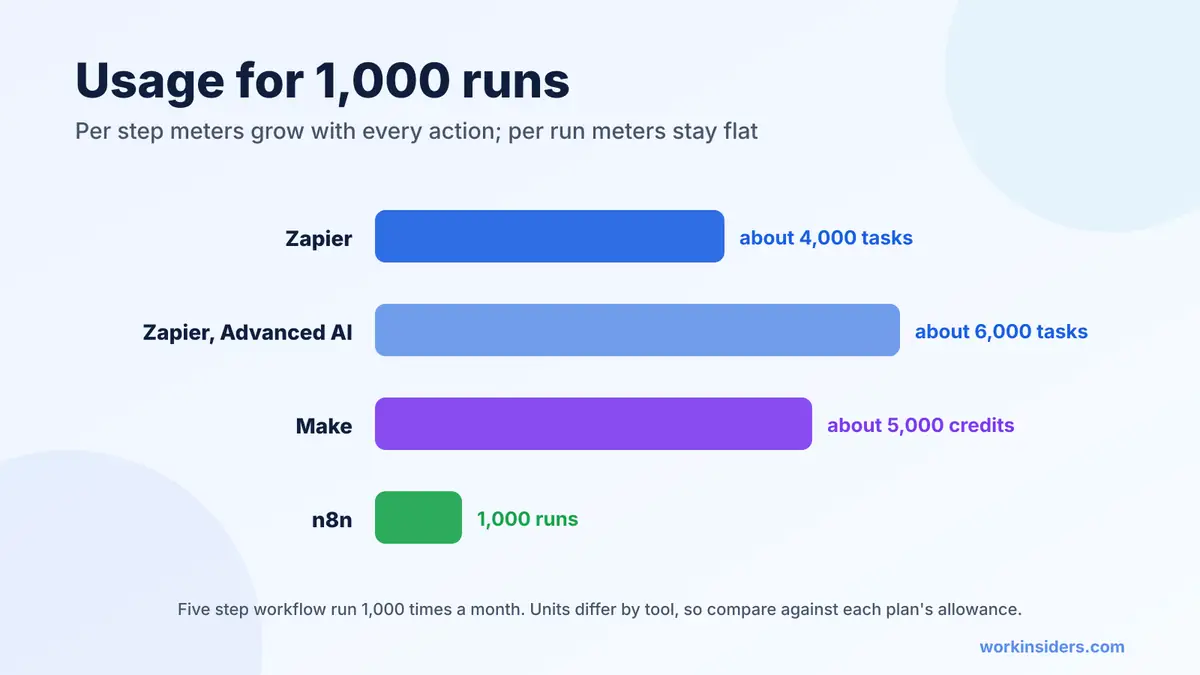
Take a five step workflow: a trigger, one AI step and three app actions. Suppose it runs 1,000 times a month.
| Tool | How one run is counted | Usage for 1,000 runs |
|---|---|---|
| Zapier | 4 tasks with a Standard AI step (trigger is free) | About 4,000 tasks |
| Zapier, Advanced AI step | 3 tasks for the AI step plus 3 actions | About 6,000 tasks |
| Make | About 1 credit per module, including the trigger read; AI may use more | About 5,000 credits |
| n8n | 1 run, whatever the step count | 1,000 runs |
| Power Automate | Covered by the user license | One $15 Premium license |
The pattern holds as workflows grow. Per step meters rise with every action you add, while n8n’s per run meter stays flat. That is why teams often prototype in Zapier or Make and move their busiest workflows to n8n later. For a wider list, including Activepieces, Pabbly Connect and agent builders, see our AI automation tools roundup.
How do they handle security, approvals and data control?
All four can be run safely, but they give you control in different places.
- Zapier keeps app credentials outside the AI model, lets admins limit which apps and actions are allowed, keeps a history of every MCP action and is SOC 2 Type II certified, per Zapier MCP. AI steps can require approval before each tool runs.
- n8n gives the most control because you can run it on your own servers. Its Enterprise plan adds an external secret store, log streaming and extended data retention.
- Power Automate inherits Microsoft’s tenant controls and data policies, which suits companies whose IT team already manages Microsoft 365.
- Make runs in the cloud only, so check its security pages and your plan’s admin features before you route personal data through it.
Whatever you pick, connect the fewest apps the workflow needs, use a company owned account and review run history weekly for the first month.
What are good AI workflow automation examples?
- Inbound lead triage. Form arrives, AI scores fit and urgency, CRM record created, hot leads posted to Slack.
- Resume intake. New application arrives, AI pulls skills and location into fields, recruiter gets a two line summary.
- Invoice and document capture. Email attachment saved, AI extracts totals and dates, row added to the finance sheet.
- Support inbox sorting. AI tags each email by topic and drafts a reply for a person to approve.
- Weekly reporting. Pull numbers from three apps every Monday, AI writes a short summary, send it to the team.
Recruiting teams can find more ideas, with the tools behind them, in our recruiting automation guide.
How should you choose?
| If this sounds like you | Choose |
|---|---|
| “I need it running today and I am not technical” | Zapier |
| “My workflows branch a lot and the budget is tight” | Make |
| “We run thousands of executions or need data on our servers” | n8n |
| “Everything we use is Microsoft” | Power Automate |
| “I want Claude or ChatGPT to trigger the workflows” | Any of the first three, through their MCP servers |
Can you use more than one?
Yes, and many teams do: Zapier for quick one app to another jobs, n8n for the heavy pipelines. Keep a simple list of which workflow lives where, who owns it and what data it touches, so nothing breaks silently when someone leaves.
Quick answers
What is the best AI workflow automation tool?
For most small teams, Zapier to start and n8n as volume grows. Make is the best value visual builder in between.
Is there free AI workflow automation software?
Yes. Zapier and Make have free plans, and n8n’s Community Edition is free when you host it yourself.
Is n8n cheaper than Zapier?
At volume, usually yes, because n8n counts one run per workflow while Zapier counts every action step.
Do these tools include AI, or do I pay OpenAI separately?
Zapier and n8n include AI models in the plan, with the option to bring your own key. Check each tool’s AI usage rates before heavy use.
Which is best for Microsoft 365?
Power Automate, especially if you need to automate older Windows software with desktop flows.
The bottom line
There is no single best AI workflow automation tool, only the best meter for your volume. Start with Zapier or Make for speed, move high volume work to n8n, and use Power Automate if you live in Microsoft. Whichever you choose, put Filters before AI steps and approvals before anything that sends or deletes. Compare all 29 options in our automation directory.
Sources: Zapier, Zapier AI tiers, Make, Make plan update, n8n, Power Automate, Copilot Studio, Work Insiders directory
Free newsletter
Get the Work Insiders weekly
One email a week: the recruiting and HR tech news that mattered, the tools we just added to the directory, and one practical guide. No spam, and you can unsubscribe in one click.